
Complete WordPress backups
Capture WordPress files, database tables, wp-config.php, and recovery metadata in one encrypted archive.
WordPress backup, restore & migration
FortisRestore creates encrypted, verified recovery points for WordPress, stores them where you choose, restores them safely to staging, and guides migrations to a new server.
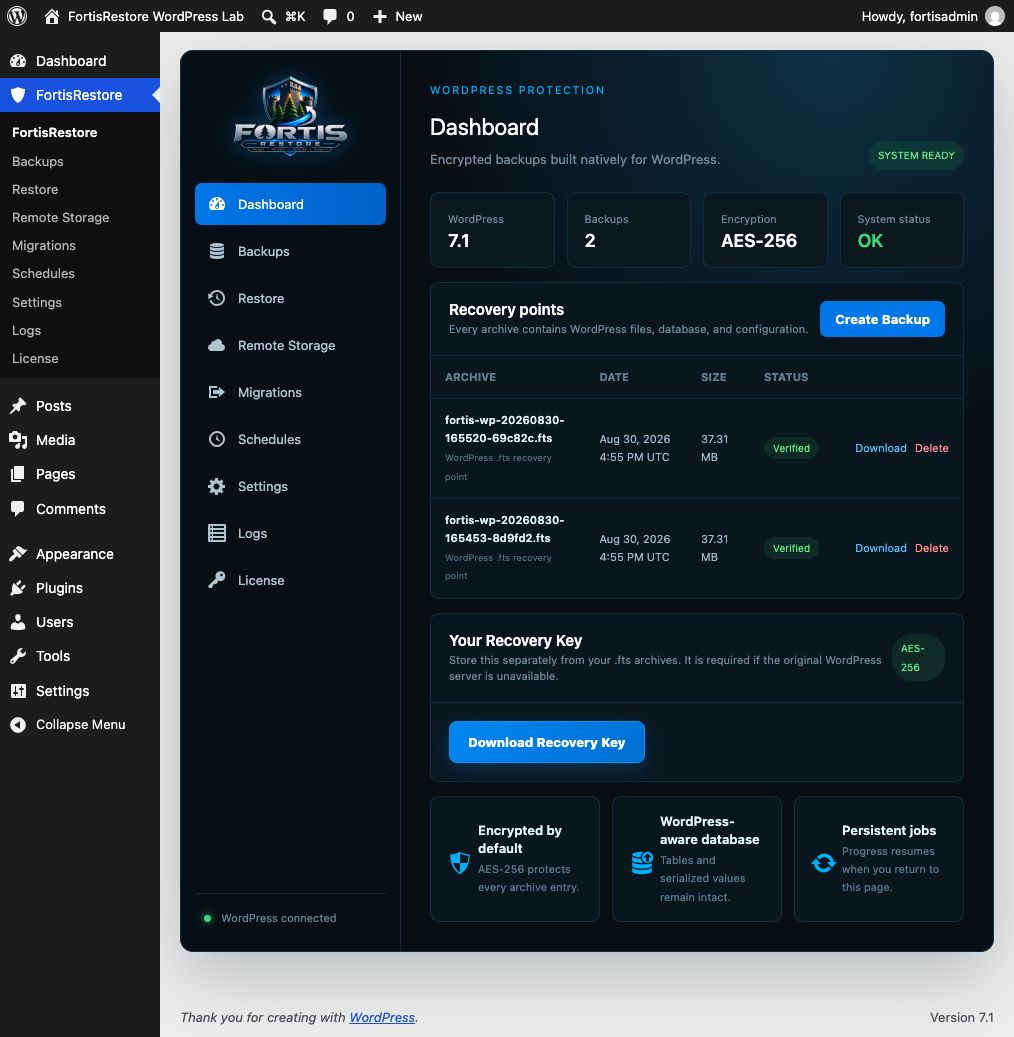
Complete WordPress protection
Capture WordPress files, database tables, wp-config.php, and recovery metadata in one encrypted archive.
Recover into an empty staging folder and separate database, rewrite URLs, and test before touching production.
Server-side progress keeps backup work alive when you move around WordPress Admin.
Send verified archives to remote storage and fetch them back when download or restore is needed.
Transfer a recovery point to a new server and complete the destination setup through a controlled recovery process.
Eligible licenses receive authenticated WordPress plugin updates through the normal administration workflow.
A visible recovery lifecycle
Confirm PHP, extensions, storage permissions, and available disk space.
Build and encrypt a complete WordPress recovery point.
Download it or transfer it to your selected remote provider.
Restore to staging, verify the site, and keep a tested recovery path.
Built for real incidents
FortisRestore keeps the backup, restore, and migration workflow inside a native WordPress administration experience. Persistent jobs continue when you change tabs, archive verification confirms integrity, and remote-only storage can remove the local copy after a successful transfer.
Site files, database content, configuration, and a recovery manifest are captured together in an AES-256 encrypted .fts archive. You retain control of the recovery key.
Recover into an isolated staging location, check the frontend and administrator, verify extensions and forms, and run health checks before replacing a production site.
Store recovery points in Dropbox, Google Drive, Amazon S3, Backblaze B2, WebDAV, SFTP, or mounted storage. Fetch a remote-only archive when you need to download or restore it.
Install FortisRestore, run the readiness check, create your first archive, download it, and prove it with a staging restore. That is the foundation of a recovery plan you can depend on.
Your site. Fortified.