Complete Protection
Files, database, and configuration—captured together in one dependable archive.
Protect what you've built.
Smart, secure backup, restore, and migration for Joomla and WordPress—built to make recovery feel simple.
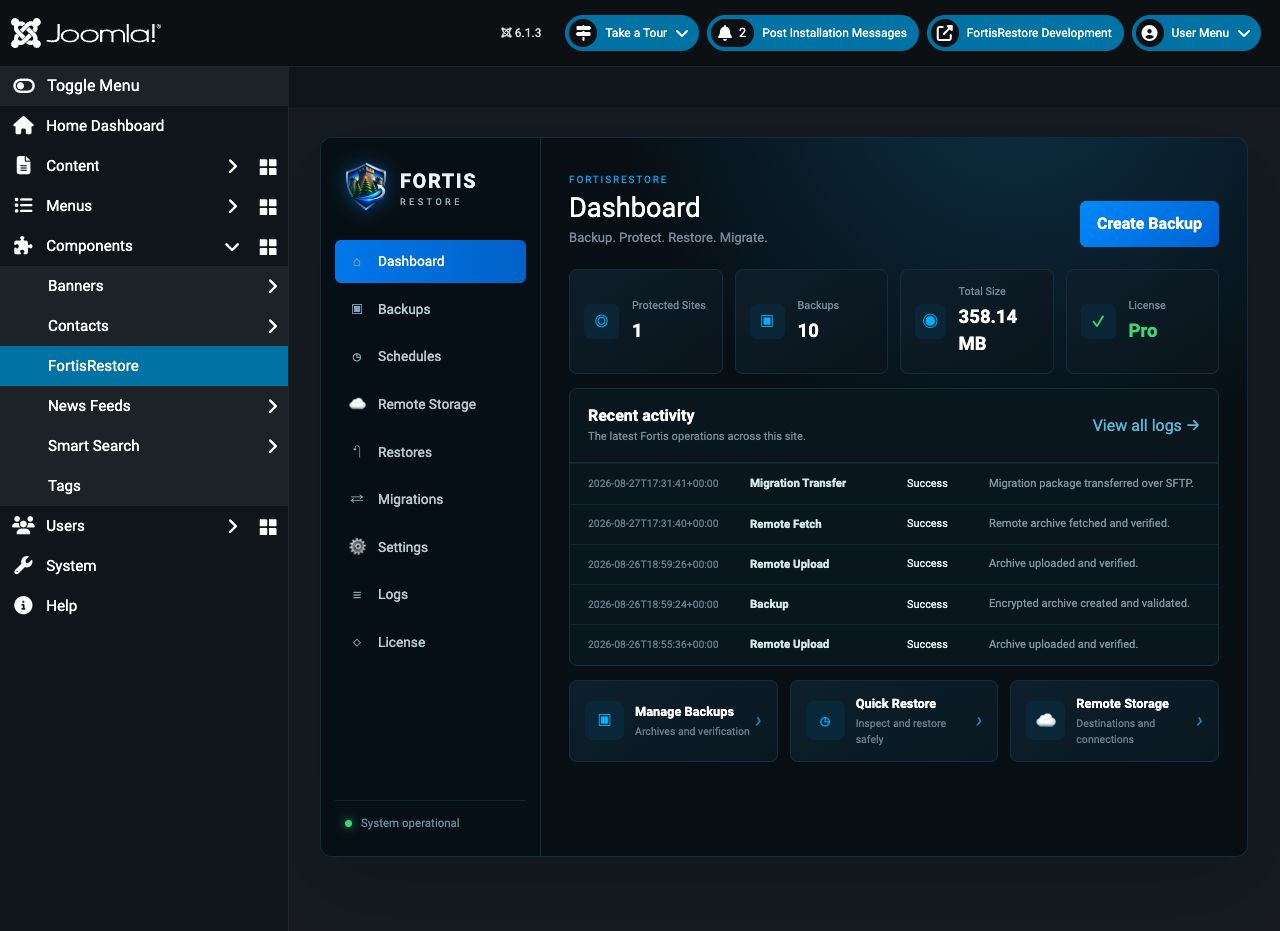
Files, database, and configuration—captured together in one dependable archive.
Send backups to Dropbox, Google Drive, S3, B2, SFTP, WebDAV, or mounted storage.
Keep credentials protected and your recovery workflow under your control.
Set it, forget it, and keep every Joomla and WordPress site protected.
Move a site to a new home with a guided, confidence-building workflow.
Built for one site today and the agency portfolio you manage tomorrow.
One recovery standard. Two platforms.
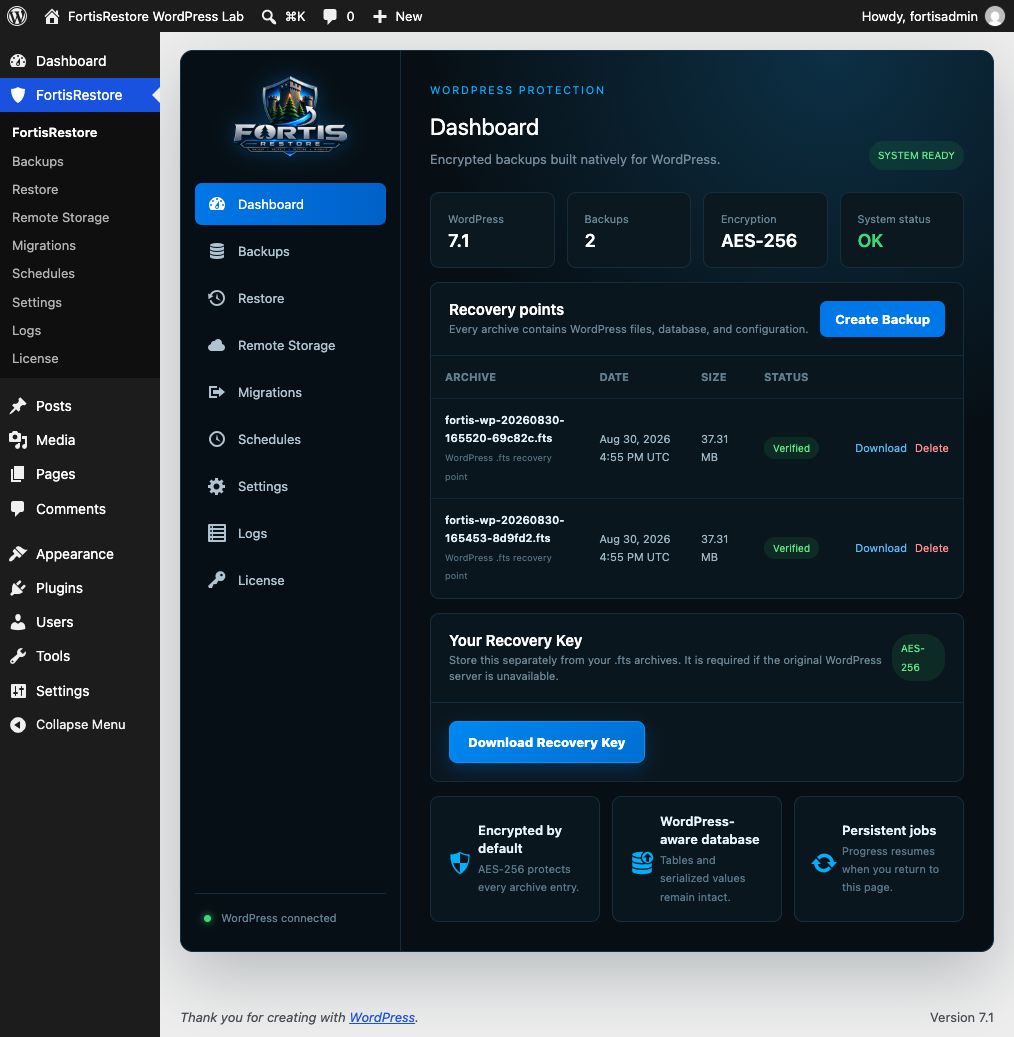
Native administration experiences for both CMS platforms, with the same encrypted .fts archive, remote storage, scheduling, licensing, restore, and migration foundations.
Configuration preflight, persistent encrypted backups, staging health checks, rollback-aware replacement, remote storage, schedules, notifications, migrations, and Joomla updates.
Server readiness, persistent encrypted backups, verified staging restores with URL rewriting, remote-only storage, schedules, alerts, SFTP migrations, and protected plugin updates.
Recovery without the panic
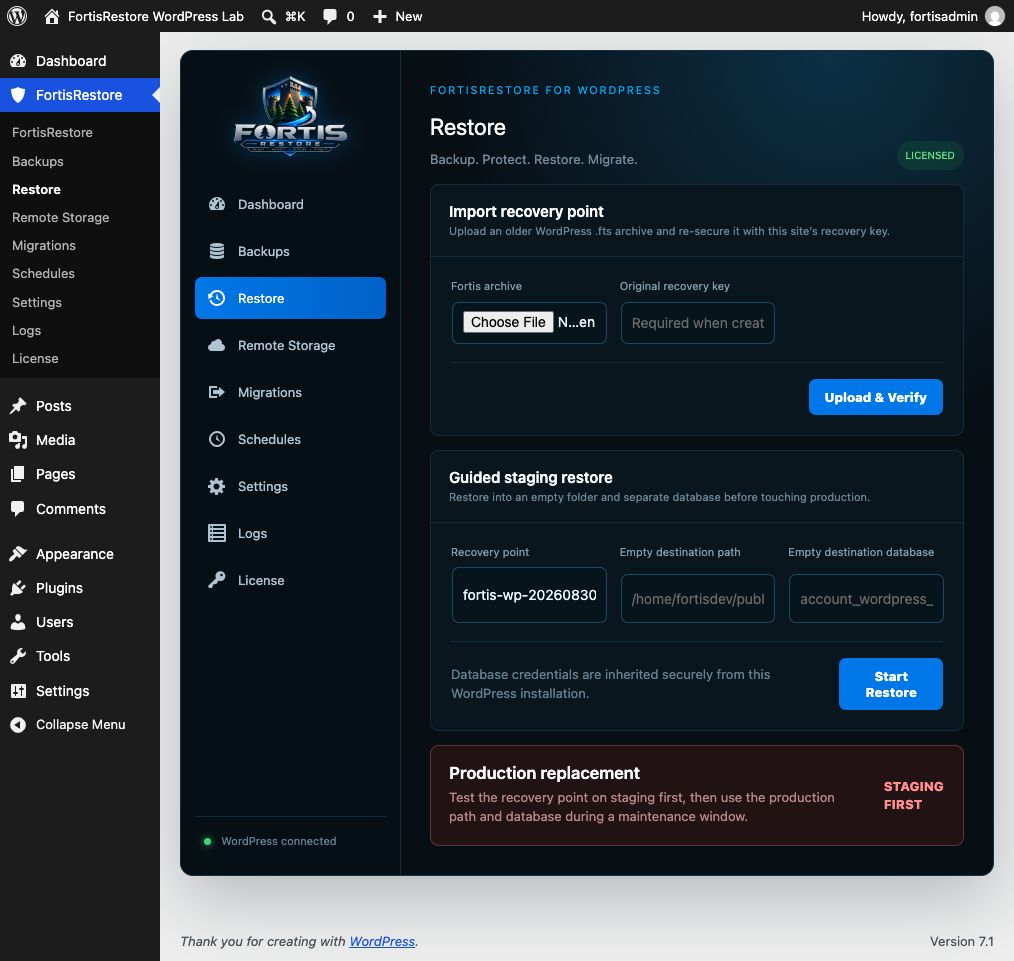
FortisRestore brings backup, restore, staging, migration, and remote storage into clear Joomla and WordPress dashboards. No mystery. Just a recovery path you can see and trust.

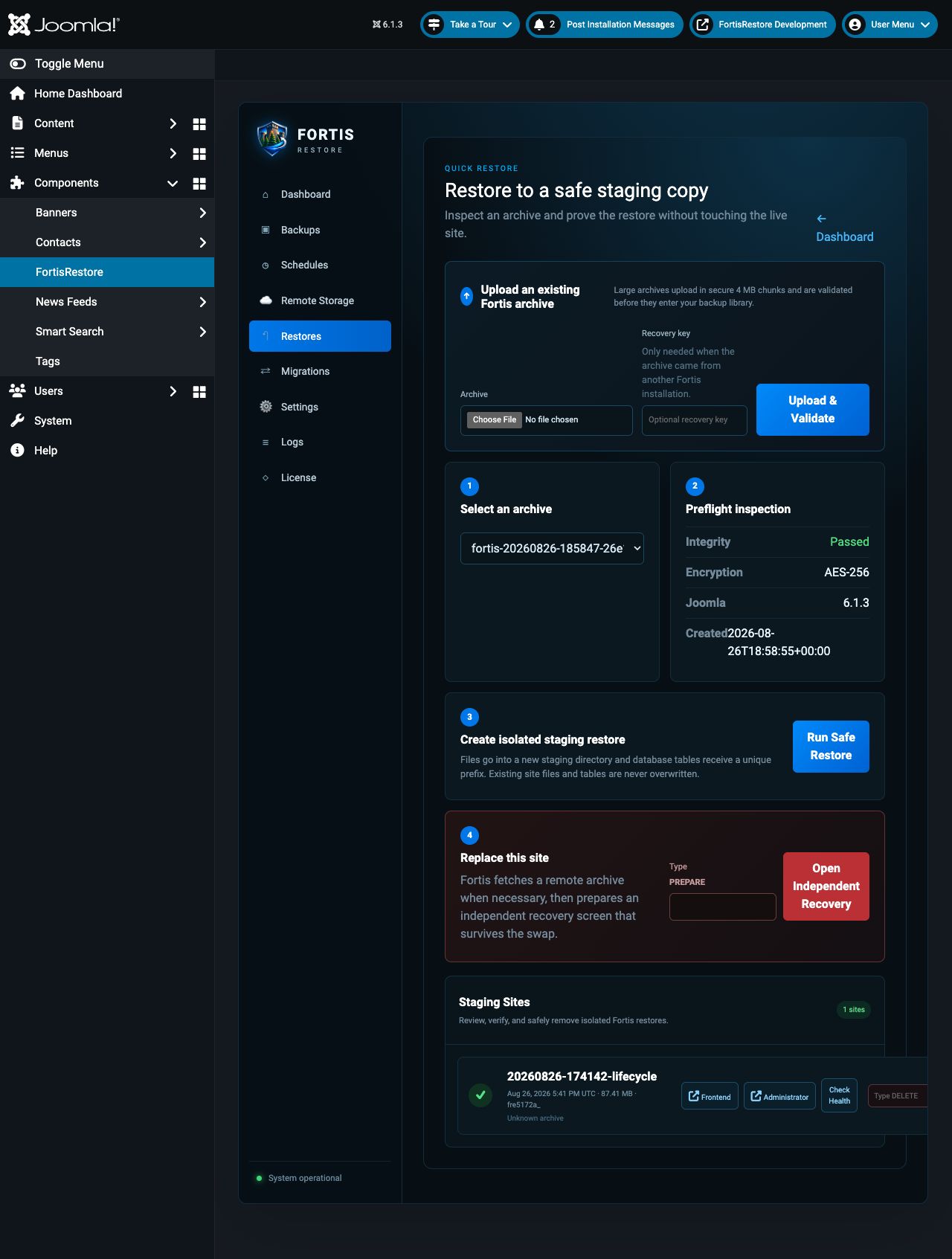
The real product. Already working.
Real screens from the working product. Joomla and WordPress share the same clear, confidence-building recovery workflow.
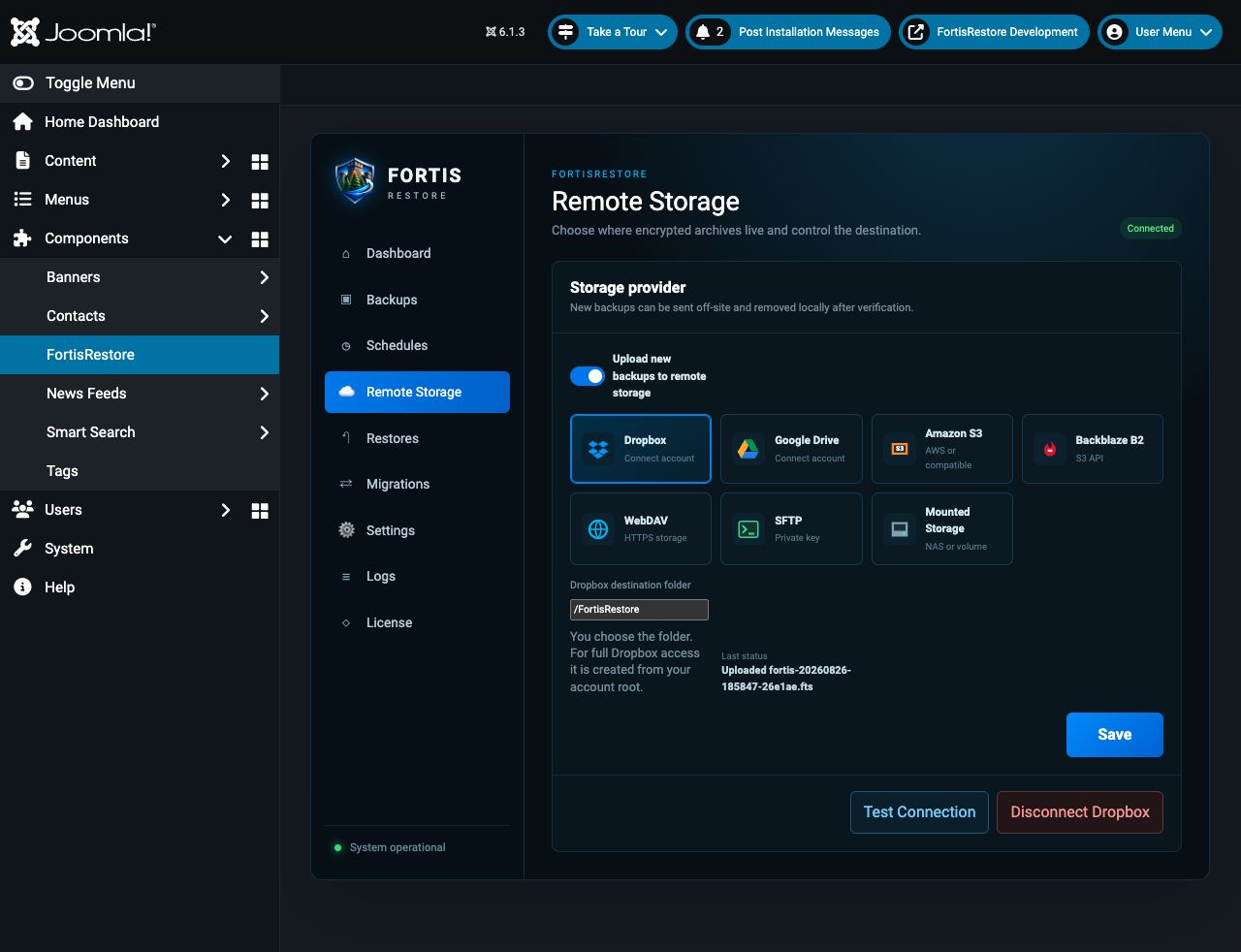
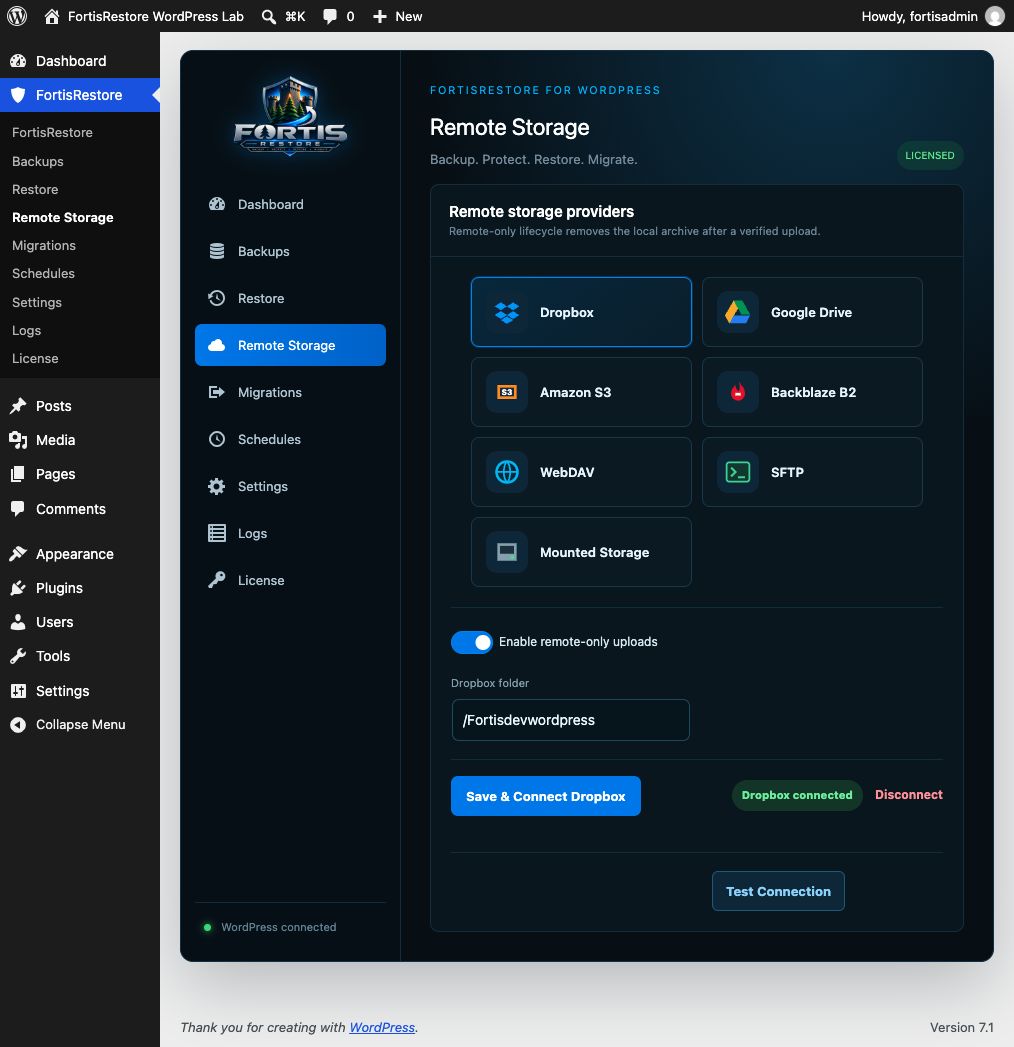
Your backup. Your destination.
Connect the services you already use. Fortis transfers the archive, removes the local copy when you choose, and fetches it back when recovery calls.
Start strong. Grow protected.
Choose the protection that fits the way you work.
Perfect for getting started
Powerful protection for pros
Built for teams and portfolios
Secure subscription billing is powered by Stripe.
Built for developers. Friendly to everyone.
Read the complete setup guide, create a verified recovery point, and prove it with a staging restore.
Backup questions, answered clearly
FortisRestore captures the website files, database, configuration, and recovery manifest together in an encrypted .fts archive.
Yes. A staging restore lets you verify the frontend, administrator, extensions, forms, and critical workflows before touching production.
Choose Dropbox, Google Drive, Amazon S3, Backblaze B2, WebDAV, SFTP, mounted storage, or a protected local archive.
Yes. FortisRestore provides native administration experiences for Joomla 4.4, 5, and 6 and WordPress 6.0 or later.
Yes. Recovery archives use AES-256 encryption. Keep the recovery key outside the website in an approved password manager or secrets vault.
Yes. Guided migration workflows move a verified recovery point to another server and provide a controlled destination recovery process.